
By Aqil Khan, Senior Data & BI Consultant

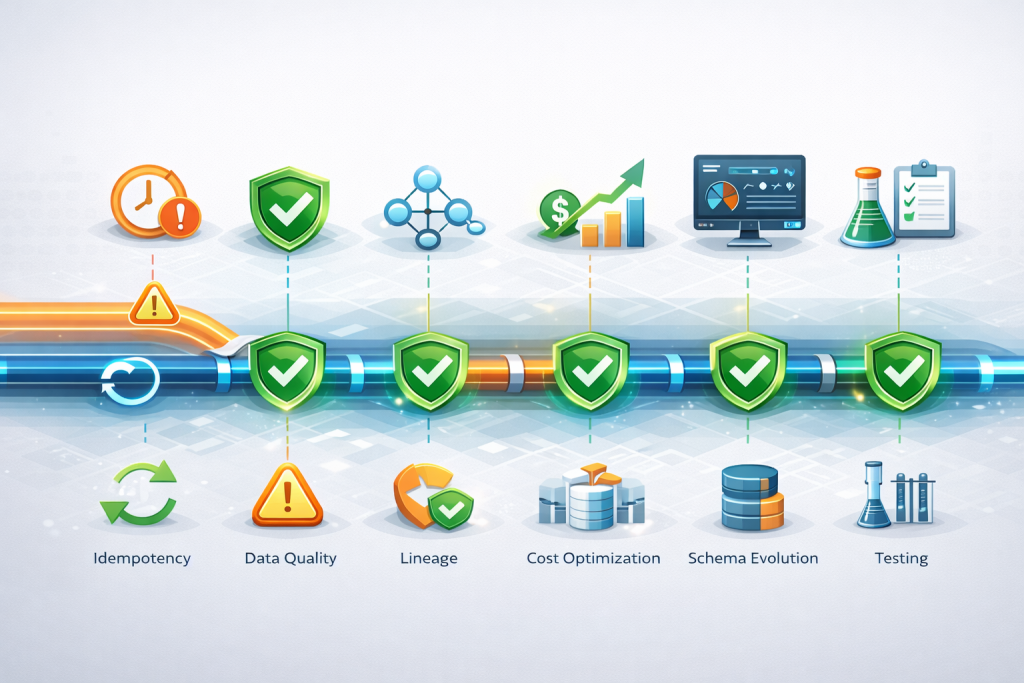
In the era of data-driven decision making, organizations have invested heavily in modern data platforms like Databricks, Snowflake, AWS Redshift, Google BigQuery, and Azure Data Factory. Yet, beneath the surface of these sophisticated architectures, data engineering teams grapple with persistent challenges that undermine data reliability, inflate costs, and expose organizations to regulatory risks. Drawing from over 15 years of enterprise data governance and hands-on work with Fortune 500 financial institutions, I’ve identified the critical pain points that separate resilient data platforms from fragile ones.
1. The Late-Arriving Data Dilemma: When Dimensions Lag Behind Facts
One of the most insidious problems in data pipelines is the late-arriving dimension challenge. Picture this scenario: Your sales fact table loads at 2 AM with transactions from yesterday in your Snowflake data warehouse, but the customer dimension record for a new customer doesn’t arrive until 6 AM because the upstream Azure Data Factory pipeline experienced delays or CDC processes in Databricks fell behind schedule.
The Impact:
- Morning dashboards in Power BI or Tableau show orphaned transactions with missing customer details
- Executives querying BigQuery see incomplete revenue attribution by customer segment
- Real-time fraud detection systems running on Databricks fail because customer risk profiles aren’t available
- Downstream analytics in AWS Redshift produce inconsistent results depending on query timing
Why It Happens:
Organizations often design pipelines with the naive assumption that all data arrives in perfect chronological order. In reality, source systems have different SLAs, network latencies vary, and CDC (Change Data Capture) processes in Debezium or Databricks Delta Live Tables can experience delays. The problem compounds in microservices architectures where customer data might flow through Kafka streams, land in AWS S3, get processed by Azure Data Factory, and finally load into Snowflake—each step introducing potential delays.
The Hidden Cost:
Beyond inaccurate reporting, late-arriving dimensions create a trust crisis. Business users lose confidence in the data platform, leading to shadow IT, Excel-based workarounds, and duplicated efforts across departments. In regulated industries like banking, this can result in compliance failures when regulatory reports pull incomplete data snapshots from BigQuery or Redshift.
Platform-Specific Solutions:
Databricks Approach:
- Use Delta Lake’s time travel capabilities to track dimension changes over time
- Implement Delta Live Tables expectations to enforce data quality rules on dimension arrival
- Leverage Structured Streaming with watermarks to handle late-arriving dimension updates
- Use MERGE operations to upsert dimensions as they arrive, maintaining referential integrity
Snowflake Approach:
- Implement Streams and Tasks to detect dimension arrivals and trigger fact table updates
- Use Time Travel queries to validate historical data accuracy after late-arriving dimensions
- Leverage Zero-copy cloning to create test scenarios with complete dimension data
- Apply Snowpipe for continuous dimension ingestion with near-real-time availability
AWS Redshift Approach:
- Use Redshift Spectrum to query dimension data directly from S3 before loading into warehouse
- Implement late-binding views that dynamically join facts with latest dimension versions
- Leverage Materialized views with refresh strategies that account for dimension lag
- Use Amazon EventBridge to orchestrate dimension-then-fact loading sequences
Google BigQuery Approach:
- Implement Scheduled queries with proper sequencing to ensure dimension availability
- Use Partitioned tables with ingestion-time partitioning to track when dimensions arrived
- Leverage BigQuery Streaming inserts for real-time dimension updates
- Apply MERGE statements to handle late-arriving dimension changes with proper SCD logic
Azure Data Factory Approach:
- Design pipeline dependencies with explicit wait conditions for dimension loads
- Use Tumbling Window triggers to enforce correct processing sequences
- Implement pipeline parameters that check dimension freshness before processing facts
- Leverage Azure Logic Apps for complex orchestration with conditional dimension loading
Mitigation Guidelines:
- Implement Type 2 Slowly Changing Dimensions (SCD) with effective dating to maintain historical accuracy even when dimensions arrive late
- Use placeholder records with “Unknown” or “Pending” status for missing dimensional attributes, then backfill when complete data arrives
- Establish data arrival monitoring with SLA tracking for each source system—set alerts when dimensional data lags beyond acceptable thresholds
- Design grace periods into your ETL schedules—delay fact table processing by 2-4 hours to allow dimension updates to catch up
- Build reconciliation processes that automatically identify and repair orphaned fact records once dimension data becomes available
- Implement event-time processing rather than processing-time logic—use the business transaction timestamp, not the pipeline execution time
- Create data contracts with upstream system owners that specify delivery windows and dependencies between dimension and fact tables
- Use platform-native orchestration features—Databricks Workflows, Snowflake Tasks, Azure Data Factory pipelines, or AWS Step Functions to enforce proper load sequences
2. Data Quality: The Silent Revenue Killer
Data quality issues are the termites of data engineering—they silently erode value until the entire structure collapses. Unlike obvious pipeline failures that trigger alerts in Databricks job monitoring or Azure Data Factory, poor data quality often goes undetected until it impacts critical business decisions.
Common Quality Issues:
- Schema Drift: Upstream systems add/remove columns without notification, breaking downstream Spark jobs or SQL views in Snowflake
- Referential Integrity Violations: Orphaned foreign keys in BigQuery tables that shouldn’t exist
- Business Rule Violations: Negative quantities in Redshift, future transaction dates, duplicate natural keys in Delta tables
- Statistical Anomalies: Sudden spikes or drops in data volumes that indicate corruption rather than business changes
- Completeness Gaps: Missing mandatory fields or incomplete record sets across your data lakehouse
The Measurement Problem:
Most organizations lack systematic data quality measurement across their multi-cloud architecture. They discover issues reactively—when a CFO questions a financial report from Snowflake, when a marketing campaign using BigQuery ML targets the wrong customers, or when a regulatory audit uncovers discrepancies in Redshift. By then, the damage is done.
Real-World Example:
In a recent Basel II compliance project on a Databricks Lakehouse platform, we discovered that 3% of credit exposure calculations were based on stale counterparty ratings because dimension updates in Delta tables weren’t being captured correctly. This single data quality issue exposed the bank to potential regulatory capital miscalculations worth millions.
The Automation Gap:
Manual data quality checks don’t scale across distributed platforms like Databricks, Snowflake, BigQuery, and Redshift. Organizations need automated, continuous validation that:
- Runs as part of the pipeline using tools like Great Expectations, dbt tests, or Databricks Delta Live Tables expectations
- Fails fast when critical rules are violated—stopping data propagation across platforms
- Provides clear lineage from failure to root cause using tools like Azure Purview or Databricks Unity Catalog
- Tracks quality metrics over time in monitoring dashboards to identify degradation trends
Platform-Specific Quality Features:
Databricks:
- Delta Live Tables Expectations for inline data quality checks during streaming and batch processing
- Unity Catalog for centralized data quality monitoring across workspaces
- Databricks SQL quality monitors with automatic anomaly detection
- Great Expectations integration for comprehensive validation frameworks
Snowflake:
- Data Quality metrics in Snowflake’s Information Schema for profiling and monitoring
- Data Masking and Classification to ensure sensitive data handling meets standards
- Streams to detect and audit data changes in real-time
- dbt tests running on Snowflake for transformation-level quality validation
AWS Redshift:
- AWS Glue Data Quality rules applied to Redshift tables
- Redshift Data Sharing with quality metrics shared across accounts
- Amazon Macie for sensitive data discovery and compliance
- CloudWatch metrics tracking query patterns indicating data quality issues
Google BigQuery:
- BigQuery Data Quality Engine (preview) for automated quality checks
- Column-level security and data governance through Policy Tags
- BigQuery ML anomaly detection models for statistical validation
- Data Catalog for metadata management and quality tracking
Azure Data Factory:
- Mapping Data Flows with inline data quality transformations
- Azure Purview integration for quality monitoring and lineage
- Assert transformation in Data Flows to validate business rules
- Event-driven pipeline triggers based on data quality thresholds
Mitigation Guidelines:
- Implement Great Expectations or dbt tests to define expectations as code and automate validation across all pipeline stages
- Build a data quality dashboard tracking key metrics: completeness rate, accuracy score, consistency percentage, timeliness SLA adherence
- Apply the “shift-left” approach—validate data at ingestion in Azure Data Factory or AWS Glue before it pollutes downstream Snowflake or BigQuery
- Create data quality SLAs for each critical dataset with defined thresholds (e.g., 99.5% completeness, <0.1% duplicates)
- Implement schema validation using Delta Lake schema enforcement, Snowflake’s schema evolution controls, or BigQuery’s schema validation
- Set up anomaly detection using statistical methods or ML models in Databricks, BigQuery ML, or AWS SageMaker
- Build automated remediation for common issues using platform-native features like Snowflake’s stored procedures or Databricks Auto Loader
- Establish data quality ownership—assign data stewards for each domain using governance tools like Unity Catalog or Azure Purview
- Create feedback loops—when quality issues are detected, automatically notify upstream system owners through integration with ServiceNow or Jira
- Use data profiling in Databricks, Snowflake, or BigQuery to understand data characteristics and set realistic quality rules
3. Lineage & Impact Analysis: The Compliance Blind Spot
In the wake of regulations like BCBS-239, GDPR, and SOX, organizations face mounting pressure to demonstrate complete data lineage across their complex tech stack—from operational systems through Azure Data Factory, Databricks, Snowflake, BigQuery, and Redshift to final reports. Yet most struggle to answer basic questions:
- “Which Power BI reports will break if I modify this Snowflake table?”
- “Can you trace this regulatory metric in BigQuery back to the originating transaction?”
- “What happens if our CRM system feeding Azure Data Factory is down for 4 hours?”
The Lineage Challenge:
Data lineage isn’t just technical documentation—it’s a compliance requirement and operational necessity. But capturing lineage across heterogeneous platforms is deceptively complex:
- Code-Based Transformations: PySpark in Databricks, SQL in Snowflake, and Python in Azure Data Factory embed business logic that traditional lineage tools can’t parse
- Cross-Platform Dependencies: Data flows through Kafka, lands in AWS S3, gets processed in Databricks, loads into Snowflake or BigQuery, and visualizes in Power BI—weak integration between tools
- Manual Processes: Excel uploads to Redshift, email-based data transfers, and ad-hoc BigQuery queries create lineage gaps
- Dynamic SQL: Runtime-generated queries in Snowflake or BigQuery make static analysis nearly impossible
Impact Analysis Paralysis:
Without reliable impact analysis across your data ecosystem, organizations become change-averse. Data engineers fear modifying a Databricks notebook because they can’t predict downstream effects on Snowflake views, BigQuery materialized views, or Redshift dashboards. This leads to technical debt accumulation.
The Regulatory Stakes:
Under BCBS-239, banks must demonstrate that risk data aggregation processes—whether running on Databricks, BigQuery, or Redshift—are fully documented and traceable. During audits, inability to produce complete lineage spanning Azure Data Factory pipelines, Snowflake transformations, and final reports can result in regulatory findings, capital add-ons, and reputational damage.
Platform-Specific Lineage Solutions:
Databricks Unity Catalog:
- Automated lineage capture at table, column, and notebook level
- Cross-workspace lineage tracking data movement between Databricks environments
- Integration with external catalogs for end-to-end lineage across platforms
- API access for custom lineage applications and compliance reporting
Snowflake:
- Access History views tracking queries and data access patterns
- Object dependencies through INFORMATION_SCHEMA for impact analysis
- Integration with Alation, Collibra, or Informatica for comprehensive lineage
- Query history with full SQL text for manual lineage reconstruction
AWS:
- AWS Glue Data Catalog for metadata and basic lineage
- Amazon DataZone for end-to-end data lineage across AWS services
- Redshift Query Monitoring and System Tables for query-level lineage
- Integration with third-party tools like Manta or Octopai for comprehensive coverage
Google BigQuery:
- Data Lineage feature in BigQuery for automatic lineage capture
- BigQuery Audit logs for tracking data access and transformations
- Data Catalog integration for broader lineage context
- Policy Tags for tracking sensitive data flow across queries
Azure:
- Azure Purview (now Microsoft Purview) for unified lineage across entire data estate
- Integration with Azure Data Factory for automatic pipeline lineage capture
- Synapse Analytics lineage tracking transformations within Synapse
- Cross-cloud lineage connecting Azure with Databricks, AWS, and other platforms
Mitigation Guidelines:
- Deploy automated lineage tools like IBM Manta, Informatica EDC, or platform-native solutions (Unity Catalog, Azure Purview)
- Implement lineage as code—document data flows in YAML/JSON configuration files versioned in Git
- Use column-level lineage for critical regulatory reports tracking from BigQuery to source systems
- Build impact analysis dashboards showing upstream/downstream dependencies across Databricks, Snowflake, and Redshift
- Integrate lineage with CI/CD—validate that changes don’t break downstream consumers before deployment
- Create lineage documentation standards—require lineage artifacts for every new Azure Data Factory pipeline or Databricks job
- Implement cross-platform lineage—ensure lineage tools can track data from Azure Data Factory → Databricks → Snowflake → Power BI
- Use platform APIs to extract lineage programmatically from Unity Catalog, Snowflake, BigQuery, and Redshift
- Build custom lineage solutions using OpenLineage for standardized lineage across heterogeneous environments
- Validate lineage accuracy regularly—audit lineage completeness and correctness as part of governance reviews
4. The Cost Optimization Challenge: When Efficiency Meets Complexity
Cloud data platforms promise elastic scaling and pay-per-use pricing, but without careful management, costs spiral out of control. Organizations routinely see monthly bills from Databricks, Snowflake, BigQuery, and AWS balloon from thousands to hundreds of thousands as data volumes grow and users proliferate.
Common Cost Drivers:
- Over-provisioned compute: Databricks clusters running 24/7 when needed only for 8-hour batch windows
- Inefficient queries: Full table scans in BigQuery costing thousands per query when proper partitioning could reduce costs by 95%
- Data duplication: Same datasets replicated across Snowflake, Redshift, and BigQuery for different teams
- Zombie resources: Abandoned Redshift clusters, unused Databricks workspace storage, forgotten BigQuery datasets
- Poor optimization: Missing clustering keys in Snowflake, no partition pruning in BigQuery, inefficient Z-ordering in Databricks
Platform-Specific Cost Traps:
Databricks:
- Always-on interactive clusters instead of job clusters for batch workloads
- Oversized cluster configurations using high-memory nodes when standard nodes suffice
- Inefficient Delta table layout without proper partitioning and Z-ordering
- Unoptimized Photon queries that don’t leverage vectorized execution
- Cross-region data transfer costs between Databricks and cloud storage
Snowflake:
- Warehouse left running when no queries are executing (lack of auto-suspend)
- Oversized warehouses (X-Large for workloads that run fine on Small)
- Result set caching disabled causing duplicate computation
- Poor clustering keys leading to excessive micro-partition scanning
- Multi-cluster warehouses with aggressive scaling policies
AWS Redshift:
- Over-provisioned clusters running ra3.16xlarge when ra3.xlplus suffices
- Lack of workload management (WLM) causing query queueing and resource waste
- Inefficient distribution and sort keys forcing expensive data redistribution
- Spectrum queries without proper pushdown predicates reading unnecessary S3 data
- Reserved Instances purchased without analysis of actual usage patterns
Google BigQuery:
- Full table scans without partition filtering, reading terabytes unnecessarily
- Lack of materialized views causing repeated expensive aggregations
- Slot over-commitment with flat-rate pricing purchased beyond actual needs
- Cross-region queries accessing data stored in different regions
- Inefficient clustering on high-cardinality columns providing minimal benefit
Azure Data Factory:
- High-compute integration runtimes running simple copy activities
- Excessive pipeline runs with short intervals when longer batches would suffice
- Data movement between regions incurring egress charges
- Mapping Data Flows using compute-intensive clusters for simple transformations
- Synapse pipelines with inefficient parallelization strategies
Real-World Impact:
A Fortune 500 retailer saw their Snowflake costs jump from $50K to $400K monthly due to poorly optimized queries across 200+ BI users. After implementing query optimization, warehouse right-sizing, and result caching strategies, costs dropped to $120K—a 70% reduction from peak while maintaining performance.
Mitigation Guidelines:
- Implement cost allocation tags in all platforms—tag Databricks clusters, Snowflake warehouses, BigQuery jobs, and Redshift clusters by team/project
- Set up cost monitoring dashboards using Databricks System Tables, Snowflake Account Usage, BigQuery INFORMATION_SCHEMA, and AWS Cost Explorer
- Establish cost budgets and alerts with automatic notifications when teams exceed thresholds
- Right-size compute resources—use Databricks cluster monitoring, Snowflake query profiles, and BigQuery slot usage to optimize sizing
- Implement auto-scaling and auto-suspend in Snowflake warehouses and Databricks clusters
- Optimize data layout—use Delta Lake Z-ordering, Snowflake clustering keys, BigQuery partitioning/clustering, and Redshift distribution keys
- Enable result caching in Snowflake and BigQuery to avoid duplicate computation
- Use spot/preemptible instances for Databricks batch workloads and BigQuery flex slots for non-critical queries
- Implement query governance—set query timeout limits, maximum data scan thresholds in BigQuery, and WLM rules in Redshift
- Create cost review processes—monthly reviews of top cost drivers with recommendations for optimization
- Build cost-aware architectures—use tiered storage (hot/warm/cold) in Snowflake, lifecycle policies in S3, and BigQuery long-term storage
- Leverage platform-specific optimizations—Databricks Photon engine, Snowflake search optimization service, BigQuery BI Engine for caching
5. Idempotency: The Disaster Recovery Nightmare
Imagine your nightly Databricks pipeline fails at 3 AM after processing 80% of data. Can you safely rerun it without creating duplicate records in Snowflake or BigQuery? For many organizations, the answer is no—their pipelines aren’t idempotent.
The Idempotency Challenge:
An idempotent pipeline produces the same result regardless of how many times it runs. This sounds simple but is surprisingly difficult across distributed systems involving Azure Data Factory, Databricks, Snowflake, and downstream reporting.
Common Failure Scenarios:
- Pipeline reruns create duplicates in Delta tables or Snowflake tables because INSERT operations aren’t protected
- Partial failures in Azure Data Factory leave data in inconsistent state across multiple platforms
- Concurrent execution in Databricks causes race conditions when multiple jobs update the same BigQuery table
- State corruption when Redshift load jobs fail mid-transaction without proper transaction management
Why Pipelines Aren’t Idempotent:
- Append-only architectures: Using INSERT statements in Snowflake or BigQuery instead of MERGE/UPSERT
- No checkpointing: Azure Data Factory pipelines that don’t track processed records
- Timestamp-based processing: Using getdate() or current_timestamp() making reruns generate different results
- Lack of unique keys: Delta tables without proper primary/natural key constraints
- External dependencies: Calling third-party APIs that aren’t idempotent
Platform-Specific Idempotency Patterns:
Databricks:
- Delta Lake MERGE operations with proper join conditions on business keys
- Structured Streaming checkpoints ensuring exactly-once processing semantics
- Delta Live Tables with automatic idempotency guarantees
- Optimistic concurrency control using Delta table versions to prevent conflicts
Snowflake:
- MERGE statements instead of INSERT for loading data
- Transactional consistency using multi-statement transactions
- Snowpipe with automatic deduplication based on file metadata
- Time Travel to recover from failed pipeline runs
AWS Redshift:
- UPSERT pattern using staging tables and DELETE + INSERT operations
- Transaction management with explicit BEGIN/COMMIT blocks
- Redshift Spectrum for idempotent external table queries
- Copy command with manifest files preventing duplicate S3 file loads
Google BigQuery:
- MERGE statements for idempotent upserts
- Write disposition set to WRITE_TRUNCATE for full refresh patterns
- Partitioned tables with partition overwrite for safe partial updates
- Streaming inserts with deduplication using insertId field
Azure Data Factory:
- Copy activity with “Enable staging” for reliable, restartable loads
- Lookup activities to check existing state before transformations
- Stored procedures implementing MERGE logic in target systems
- Pipeline parameters tracking high-water marks for incremental loads
Mitigation Guidelines:
- Use MERGE/UPSERT operations in Databricks (Delta), Snowflake, BigQuery, and Redshift instead of INSERT
- Implement checkpointing in Azure Data Factory and Databricks Structured Streaming to track progress
- Design for replays—ensure pipelines can reprocess data windows without corruption
- Use deterministic logic—replace getdate() with business effective dates from source data
- Add unique constraints or natural keys to Delta tables, Snowflake tables, and BigQuery tables
- Implement soft deletes instead of hard deletes to maintain idempotency
- Build transaction management—wrap Snowflake and Redshift operations in explicit transactions
- Test failure scenarios—regularly test pipeline recovery by intentionally failing runs
- Implement high-water mark patterns in Azure Data Factory to track last successfully processed record
- Use platform guarantees—leverage Delta Live Tables, Snowflake’s ACID properties, and BigQuery’s snapshot isolation
6. Schema Evolution: The Breaking Change Problem
In dynamic business environments, data schemas constantly evolve. New fields are added to CRM systems, legacy fields are deprecated, and data types change. Without careful management, these changes break pipelines across your entire stack—from Azure Data Factory ingestion through Databricks transformation to Snowflake and BigQuery consumption.
Common Schema Evolution Scenarios:
- New column added to source system—Azure Data Factory pipeline fails with schema validation errors
- Column removed from upstream table—Databricks Spark job fails with AnalysisException
- Data type changed from VARCHAR to DATE—Snowflake COPY commands fail with parsing errors
- Column renamed in source—BigQuery views referencing old column name break
- Null constraints added—Redshift COPY fails when previously nullable column becomes NOT NULL
The Impact Cascade:
A schema change in a single source table can trigger cascading failures across dozens of downstream components:
- Azure Data Factory pipelines fail at ingestion
- Databricks notebooks fail during transformation
- Snowflake views and procedures break
- BigQuery scheduled queries error out
- Power BI reports show missing data
- ML models trained on old schema produce errors
Platform Approaches to Schema Evolution:
Databricks Delta Lake:
- Schema enforcement mode prevents incompatible schema changes
- Schema evolution mode (mergeSchema option) automatically handles new columns
- Column mapping enables column renames without breaking downstream consumers
- Schema evolution with Structured Streaming for real-time schema changes
- Delta Live Tables with automatic schema inference and evolution
Snowflake:
- Automatic schema evolution in COPY command with MATCH_BY_COLUMN_NAME option
- Schema detection for semi-structured data (JSON, Parquet) with automatic column inference
- Variant data type for flexible JSON structure changes
- Views with explicit column lists to isolate schema changes
- Streams to detect and audit schema modifications
AWS Redshift:
- Glue Schema Registry for centralized schema versioning
- Redshift Spectrum with schema-on-read for flexible semi-structured data
- External schemas that update automatically from Glue Catalog
- Manual ALTER TABLE commands required for most schema changes
- Superset/subset data loading with column mapping
Google BigQuery:
- Schema auto-detection for CSV, JSON, and Avro file loads
- Schema evolution in streaming inserts automatically adding new fields
- Relaxing column requirements from REQUIRED to NULLABLE supported
- Column addition supported in most scenarios
- Table snapshots for safe schema migration testing
Azure Data Factory:
- Schema drift in Mapping Data Flows automatically handling new columns
- Flexible schemas in Copy activities with dynamic content
- Schema validation activities to detect changes before processing
- Integration with Purview for schema change tracking
- Parameterized schemas for dynamic pipeline execution
Mitigation Guidelines:
- Implement schema registries—use Confluent Schema Registry, AWS Glue Schema Registry, or Unity Catalog for centralized schema management
- Enable schema evolution features—turn on mergeSchema in Databricks, MATCH_BY_COLUMN_NAME in Snowflake, schema drift in Azure Data Factory
- Version your schemas—maintain schema versions in Git with clear documentation of changes
- Build schema validation—add validation steps in Azure Data Factory before processing to detect schema changes early
- Use backward-compatible changes—add columns as nullable, avoid dropping columns, use column addition instead of renaming
- Implement schema testing—test pipelines against new schemas in development before production deployment
- Create schema change alerts—monitor for schema changes in source systems using Great Expectations or custom validation
- Build flexible transformations—write Spark/SQL code that gracefully handles missing columns using COALESCE or TRY_CAST
- Establish schema governance—require approval process for schema changes with impact analysis across Databricks, Snowflake, BigQuery
- Use semi-structured formats—leverage JSON, Parquet with flexible schemas in early pipeline stages for adaptability
- Implement schema mapping layers—create abstraction layers between source schemas and analytical models
- Document schema dependencies—maintain lineage showing which downstream assets depend on specific columns
7. Observability: The Blind Pipeline Problem
You receive a Slack alert at 2 AM: “Revenue dashboard showing $0 for yesterday.” The panic begins. Is it a data quality issue? Did the Azure Data Factory pipeline fail? Is Databricks cluster unavailable? Did Snowflake warehouse timeout? Is BigQuery over quota limits? Without comprehensive observability, you’re debugging blind.
The Observability Gap:
Modern data platforms generate massive amounts of operational data across Databricks, Snowflake, BigQuery, Redshift, and Azure Data Factory, but most organizations don’t effectively monitor:
- Pipeline health: Which Azure Data Factory pipelines succeeded, failed, or are running slow?
- Data quality: Are row counts in Snowflake tables within expected ranges?
- Data freshness: Is yesterday’s data actually loaded into BigQuery?
- Resource utilization: Are Databricks clusters over/under-provisioned?
- Cost anomalies: Why did Redshift costs spike 300% this week?
- Performance degradation: Why are BigQuery queries taking 10x longer?
Platform-Specific Observability Tools:
Databricks:
- System Tables (Databricks SQL) for comprehensive audit, lineage, and usage metrics
- Cluster metrics API for real-time resource utilization monitoring
- Job run logs with detailed execution metrics and error messages
- Delta Lake transaction logs for table-level change tracking
- Unity Catalog lineage for downstream impact visibility
- Integration with Datadog, New Relic for centralized monitoring
Snowflake:
- Account Usage Schema providing detailed query history, warehouse usage, and storage metrics
- Query Profile for deep performance analysis of individual queries
- Resource Monitors with automatic alerts on credit consumption
- Task History views for scheduled job monitoring
- Snowpipe statistics for real-time ingestion monitoring
- Integration with Grafana, Tableau for custom dashboards
AWS Redshift:
- CloudWatch Metrics for cluster CPU, disk usage, query performance
- System Tables and Views (STL, STV, SVL, SVV) for detailed query analysis
- Query Monitoring Rules (QMR) for automatic query abort on performance issues
- AWS CloudTrail for API-level auditing
- Performance Insights for workload analysis
- Integration with Splunk, DataDog for unified monitoring
Google BigQuery:
- INFORMATION_SCHEMA views for job history, table metadata, slot usage
- Cloud Monitoring with BigQuery-specific metrics and alerts
- Audit Logs capturing all data access and modification
- Slot utilization dashboards for capacity planning
- BI Engine performance metrics for cached query optimization
- Integration with Cloud Logging for centralized log analysis
Azure Data Factory:
- Monitor hub with visual pipeline run history and activity-level metrics
- Azure Monitor integration for custom alerts and dashboards
- Diagnostic logs sent to Log Analytics for querying
- Activity run details showing input/output data and execution time
- Pipeline alerts on success, failure, or custom conditions
- Integration with Power BI for operational dashboards
Cross-Platform Observability:
Organizations need unified observability spanning their entire data stack:
- Monte Carlo, Datafold, Bigeye for data observability across all platforms
- Great Expectations with validation results stored centrally
- Custom dashboards aggregating metrics from Databricks, Snowflake, BigQuery into single pane
- Slack/PagerDuty integration for unified alerting regardless of platform
- Cost dashboards combining Azure, AWS, Databricks, and Snowflake billing
Mitigation Guidelines:
- Deploy data observability platforms—Monte Carlo, Datafold, or Bigeye for automated monitoring across Databricks, Snowflake, BigQuery
- Build centralized dashboards—aggregate metrics from all platforms into unified Grafana or Tableau dashboards
- Implement SLA monitoring—track data freshness, completeness, and quality metrics with clear SLA definitions
- Set up cost monitoring—use Azure Cost Management, AWS Cost Explorer, Databricks System Tables, Snowflake Resource Monitors
- Create pipeline health dashboards—monitor Azure Data Factory pipeline success rates, execution times, failure patterns
- Implement anomaly detection—use statistical models or ML (BigQuery ML, Databricks ML) to detect unusual patterns
- Track performance metrics—monitor query latency in Snowflake, BigQuery, Redshift with historical baselines
- Build data quality scorecards—business-friendly dashboards showing quality trends
- Create runbooks—document troubleshooting steps for common failures with links to platform-specific logs
- Implement intelligent alerting—use dynamic thresholds in CloudWatch, Azure Monitor, or Databricks adjusting based on historical patterns
- Set up correlation analysis—automatically correlate failures across Azure Data Factory → Databricks → Snowflake pipeline stages
- Build self-service observability—enable business users to check data status without contacting engineering
- Integrate with incident management—connect monitoring to PagerDuty, ServiceNow for automated escalation
- Track business metrics alongside technical metrics—monitor revenue impact, customer experience effects of data issues
8. Testing: The Validation Vacuum
Unlike software engineering where testing is standard practice, data pipelines across Databricks, Azure Data Factory, Snowflake, and BigQuery often lack comprehensive test coverage. Changes go to production with minimal validation, leading to costly failures.
Testing Challenges in Modern Platforms:
- Data Volume: Testing with production-scale data in Databricks or BigQuery is expensive
- Data Sensitivity: Can’t use real customer data in test Snowflake environments
- Complex Dependencies: Azure Data Factory pipelines depend on upstream systems hard to mock
- State Management: Testing stateful Delta Lake tables requires careful setup
- Cross-Platform Complexity: Testing end-to-end flow from Azure Data Factory → Databricks → Snowflake → BigQuery
- Non-Deterministic Behavior: Timestamps, random sampling in Spark make testing difficult
Types of Testing Needed:
- Unit Tests: Individual Databricks notebook functions, Snowflake stored procedures
- Integration Tests: End-to-end Azure Data Factory pipeline validation
- Data Quality Tests: Great Expectations or dbt tests on Snowflake/BigQuery tables
- Regression Tests: Ensuring BigQuery query changes don’t break existing functionality
- Performance Tests: Validating Databricks cluster sizing and Snowflake warehouse performance
Platform-Specific Testing Approaches:
Databricks:
- Pytest for unit testing PySpark functions with small sample DataFrames
- Databricks Workflows for running test suites on every commit
- Delta Lake table cloning for creating isolated test environments
- Databricks Asset Bundles for CI/CD with automated testing
- Great Expectations validation with Databricks integration
Snowflake:
- dbt test framework running data quality tests on Snowflake
- Zero-copy cloning to create test databases instantly without data duplication
- Stored procedures for test harnesses validating business logic
- SnowCLI for automation of test data loading and validation
- Schemachange for database migration testing with rollback capabilities
AWS Redshift:
- PyTest with Redshift connections for testing SQL transformations
- Redshift Spectrum for testing queries against S3 data without loading
- AWS Glue DataBrew for data profiling and quality testing
- CloudFormation or Terraform for reproducible test cluster provisioning
- Integration with Jenkins/GitHub Actions for automated testing
Google BigQuery:
- BigQuery Mock libraries for local testing without BigQuery costs
- dbt test framework for BigQuery transformation testing
- Table snapshots for creating point-in-time test datasets
- Scheduled queries for automated regression testing
- BigQuery Data Transfer Service for loading test data from various sources
Azure Data Factory:
- Debug mode for interactive pipeline testing before deployment
- Pipeline parameters enabling testing with different configuration values
- Unit testing framework for Mapping Data Flow transformations
- ARM template validation before deployment
- Integration with Azure DevOps for automated CI/CD testing
Mitigation Guidelines:
- Adopt test-driven development (TDD)—write tests before implementing Databricks notebooks or Snowflake procedures
- Build unit tests—test individual functions using pytest with small DataFrames or sample Snowflake data
- Create integration test suites—validate end-to-end Azure Data Factory → Databricks → Snowflake flows in isolated environments
- Generate synthetic test data—use Faker, Mockaroo, or custom generators avoiding sensitive production data
- Implement data quality assertions—use Great Expectations or dbt tests across Databricks, Snowflake, BigQuery
- Build regression test suites—maintain golden datasets; compare new results against baselines
- Create data sampling strategies—test with representative 1-10% samples to balance coverage with cost
- Use data masking—apply tokenization or synthetic generation for safe testing with production-like data
- Implement CI/CD pipelines—automate testing on every commit using GitHub Actions, Azure DevOps, or Databricks Workflows
- Build performance benchmarks—track execution time and costs across test runs in each platform
- Create chaos engineering tests—intentionally introduce failures to validate error handling across platforms
- Test idempotency explicitly—run pipelines multiple times verifying identical results in Delta tables, Snowflake tables
- Validate state management—test stateful pipelines with first run, incremental updates, out-of-order data scenarios
- Build smoke tests—run quick validation checks post-deployment catching obvious issues
- Implement contract testing—validate Databricks output meets Snowflake/BigQuery consumer expectations
- Use platform-native testing tools—leverage Databricks Workflows, Snowflake Tasks, BigQuery scheduled queries for automation
Conclusion: Building Resilient Data Platforms
These pain points aren’t independent challenges—they compound each other across your multi-platform architecture. Poor data quality in Azure Data Factory makes lineage tracking harder in Unity Catalog. Non-idempotent Databricks pipelines complicate disaster recovery in Snowflake. Lack of testing leads to schema evolution failures across BigQuery. Organizations that address these systematically across Databricks, Snowflake, AWS Redshift, Google BigQuery, and Azure Data Factory build competitive advantages through reliable, trustworthy data platforms.
The path forward requires:
- Architectural discipline: Designing for idempotency, testability, and observability from the start across all platforms
- Platform expertise: Understanding unique capabilities and limitations of Databricks, Snowflake, BigQuery, Redshift, and Azure Data Factory
- Automation investment: Building quality checks, monitoring, and lineage tracking leveraging platform-native features
- Cultural shift: Treating data engineering with the same rigor as software engineering
- Continuous improvement: Measuring and optimizing based on cost, quality, and reliability metrics across your entire stack
For organizations in regulated industries, these aren’t just operational improvements—they’re compliance imperatives. The future belongs to organizations that solve these challenges proactively across their heterogeneous data platforms rather than reactively firefighting issues.
Implementation Roadmap: Where to Start
Addressing all eight pain points simultaneously across multiple platforms is overwhelming. Here’s a pragmatic approach to prioritize improvements:
Phase 1: Foundation (Months 1-3)
- Implement automated data quality checks with Great Expectations across Databricks, Snowflake, and BigQuery
- Establish monitoring dashboards aggregating metrics from all platforms using Grafana or Tableau
- Create naming conventions and documentation standards for Azure Data Factory, Databricks notebooks, Snowflake objects
- Build basic unit tests for critical Databricks transformations and Snowflake procedures
- Set up cost tracking by pipeline and team across Azure, AWS, Databricks, and Snowflake
Phase 2: Reliability (Months 4-6)
- Deploy lineage tracking with Unity Catalog, Azure Purview, or third-party tools spanning all platforms
- Refactor top 10 pipelines to be idempotent using MERGE operations in Databricks, Snowflake, BigQuery
- Implement schema validation and drift detection in Azure Data Factory and Databricks Auto Loader
- Build automated alerting for SLA breaches across all platforms with Slack/PagerDuty integration
- Create disaster recovery runbooks covering Azure Data Factory, Databricks, and Snowflake scenarios
Phase 3: Optimization (Months 7-9)
- Convert batch pipelines to incremental processing using Delta Live Tables, Snowflake Streams, BigQuery Materialized Views
- Implement optimization techniques: Delta Z-ordering, Snowflake clustering, BigQuery partitioning, Redshift distribution keys
- Build comprehensive integration test suites covering end-to-end flows across platforms
- Deploy anomaly detection for data distributions using BigQuery ML or Databricks ML
- Establish cost optimization feedback loops with regular reviews of Databricks, Snowflake, BigQuery, AWS spending
Phase 4: Excellence (Months 10-12)
- Achieve full column-level lineage coverage across Azure Data Factory → Databricks → Snowflake → BigQuery
- Implement CI/CD for all data pipelines using Databricks Asset Bundles, Snowflake Schemachange, Azure DevOps
- Build self-service observability for business users with consolidated dashboards
- Create comprehensive regression test suites using dbt, Great Expectations across all platforms
- Establish data quality SLAs with business ownership and automated monitoring
Success requires executive sponsorship, cross-functional collaboration between platform teams (Azure, AWS, Databricks, Snowflake, BigQuery specialists), and sustained commitment. Organizations that invest in solving these foundational challenges across their heterogeneous data platform ecosystem unlock the full potential of their data while meeting regulatory obligations and building stakeholder trust.
Aqil Khan is a Senior Data & BI Consultant at Business Intelligence Analytics Inc. with years of experience in enterprise data product building, data governance, and Data Analytics, specializing in modern data platforms including Databricks, Snowflake, AWS, Google Cloud, and Azure.